Troubleshooting guide › Fix it yourself, by machine › CNC cutting machines
A CNC cutting machine reports most problems on its screen: an alarm, a warning window, a message. This page translates the common ones into a check, gives the starting values for the height control and pierce settings, and lists the mechanical checks that keep parts in size. For cut quality (dross, bevel, holes) see the CNC cutting problems page; for the plasma source see the FINELINE page.
Reviewed by the Cruxweld technical team, October 2026. Settings are starting points to confirm on a test piece; acceptance is decided by the code or drawing the job is built to. Checks marked “call” are for our technical team.
| Message or behaviour | Meaning | What to do |
|---|---|---|
| Warning window during the height test: torch did not reach the plate | Position-check time shorter than the descent time | Make the position-check time longer than the time the torch takes to descend from the top to the plate (starting value 15 s) |
| Arc-on feedback not received; cut stops | Arcing-check time exceeded; arc-transfer signal missing | Check the arc-transfer cable from the plasma source; set the arcing check time to 30 s; as a last resort use a time-based start |
| Broken arc; cut stops | Arc voltage went outside the protection window, or below the 30 V floor | Review the arc protection value (default 50 V); check the arc-voltage input cable; replace a worn electrode |
| Collision alarm with no collision | Breakaway switch wiring or logic; HF noise | Check the switch (diagnosis must read open clear of the plate and closed on contact on ohmic sensing); earth and shield the cables; check the “no plasma and steel contact check” option |
| Torch rises and machine stops in plasma mode | Collision or position-detect input active | Check the inputs in the diagnosis screen |
| Position detect reads wrong in diagnosis | Proximity switch inverted or wired to the wrong pin | Call with the diagnosis screen photo |
| Torch dives or rises too high during the cut | Arc-voltage set-point; divider ratio (100:1 default, 50:1 on some boards); THC not locked at corners | Set 100-150 V for air plasma; match the divider ratio; corner lock at 95 % speed and 5-10 mm |
| THC hunts up and down | Sensitivity too high | Set 30-50 on the 1-100 scale |
| “No file” / USB not read | File format or USB format | Export plain G-code; FAT32 stick; short file name |
| Machine shakes on short segments | Thousands of tiny lines in a converted DXF | Simplify the drawing; set short-line fitting to Yes |
| Small-arc or corner speed setting has no effect | Applied only after reload | Reload the program |
| Position drifts during a program (lost steps) | Speed or acceleration too high; dirty rails; poor earthing; pinion or belt slipping | Reduce acceleration; clean; earth; tighten the pinion |
| Hard limit or emergency stop alarm | Axis on a limit switch; E-stop pressed | Jog off the limit; release the E-stop; reset |
| Parts out of size | Kerf value; pulse equivalent; gantry squareness | Cut a test square and a 1 m line; enter half the measured kerf; correct the pulse equivalent |
| Parameter | Starting value |
|---|---|
| Torch up time | 3 s |
| Arcing check time | 30 s |
| Position check time | 15 s |
| Speed to lock THC | 95 % |
| Distance to lock THC | 10 mm (5 mm minimum) |
| Lose-arc delay | 0.5 s |
| Arc protection value | 50 V |
| Set arc voltage | 130 V (range 50-300 V) |
| THC sensitivity | 30-50 |
| Pierce time | 0-3 s by plate thickness |
| Pierce height | 1.5-2 times cut height |
| Crawl time after pierce | 0-1 s |
| Kerf value | Half the measured kerf width |
Operator-level values; confirm on a test cut. Flame cutting uses staged pierce oxygen (low, medium, high) with times set by thickness.
Which controller these values are for: the parameter names, ranges and starting values above are taken from the Cruxweld documentation for the DynaCut ProX CNC shape cutting controller (software version 21.231.01 V4.0 as documented) and apply to the same controller family on the ProGantry 2560. Other controller makes, or a different software version, use different names, menus and defaults; use the names on your own screen and confirm each value on a test cut.
Kerf convention on this controller: the kerf value is HALF the measured kerf width (the controller offsets the torch path by that amount on each side of the programmed line). Cut a 100 mm test square, measure the real kerf, and enter half of it. Some CAM software and other controllers expect the full kerf width instead, so a value that is right in one place is double in the other; compensate kerf in one place only, never in both the CAM and the controller.
Worn consumables raise the arc voltage until it leaves the protection window. New electrode and nozzle, then re-check the set-point.
Export DXF with the outline as closed polylines, no text or dimension layers, and let the controller or the nesting software add lead-ins and kerf. Send us a drawing that will not load and we will tell you what to change.
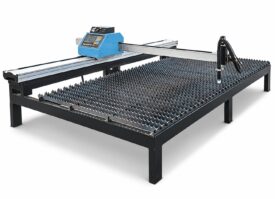 DynaCut ProX portable CNCSpecifications →
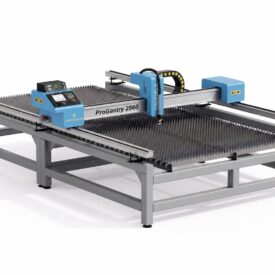 ProGantry 2560 gantry CNCSpecifications →
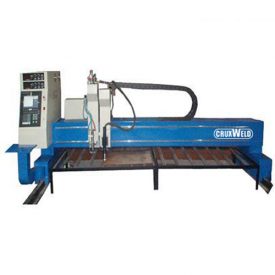 CNC plasma cutting machineSpecifications →
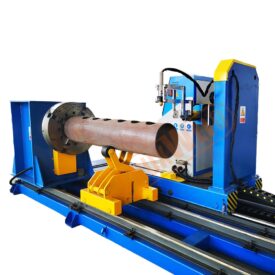 CNC pipe profile cutterSpecifications →CNC plasma on real jobsSpecifications →
Open your model for its specifications; the spares page lists the consumables for it.
If the machine runs but the weld or cut is wrong, the cause is usually settings, consumables or the material. Start here:
The controller parameters on this page are operator-level. Drive settings, motor and port diagnostics are for our technical team; note the alarm text on the screen and send it with a photo.
Send a photo of the weld or cut, your machine model, consumable and plate thickness. Our technical team replies on WhatsApp with the likely causes and the next checks to make.
45+ years of welding expertise · GeM Registered OEM Manufacturer · Supported Worldwide